Claude Code · Codex · Gemini · Antigravity · Copilot · and more
Every AI coding CLI, in one window.
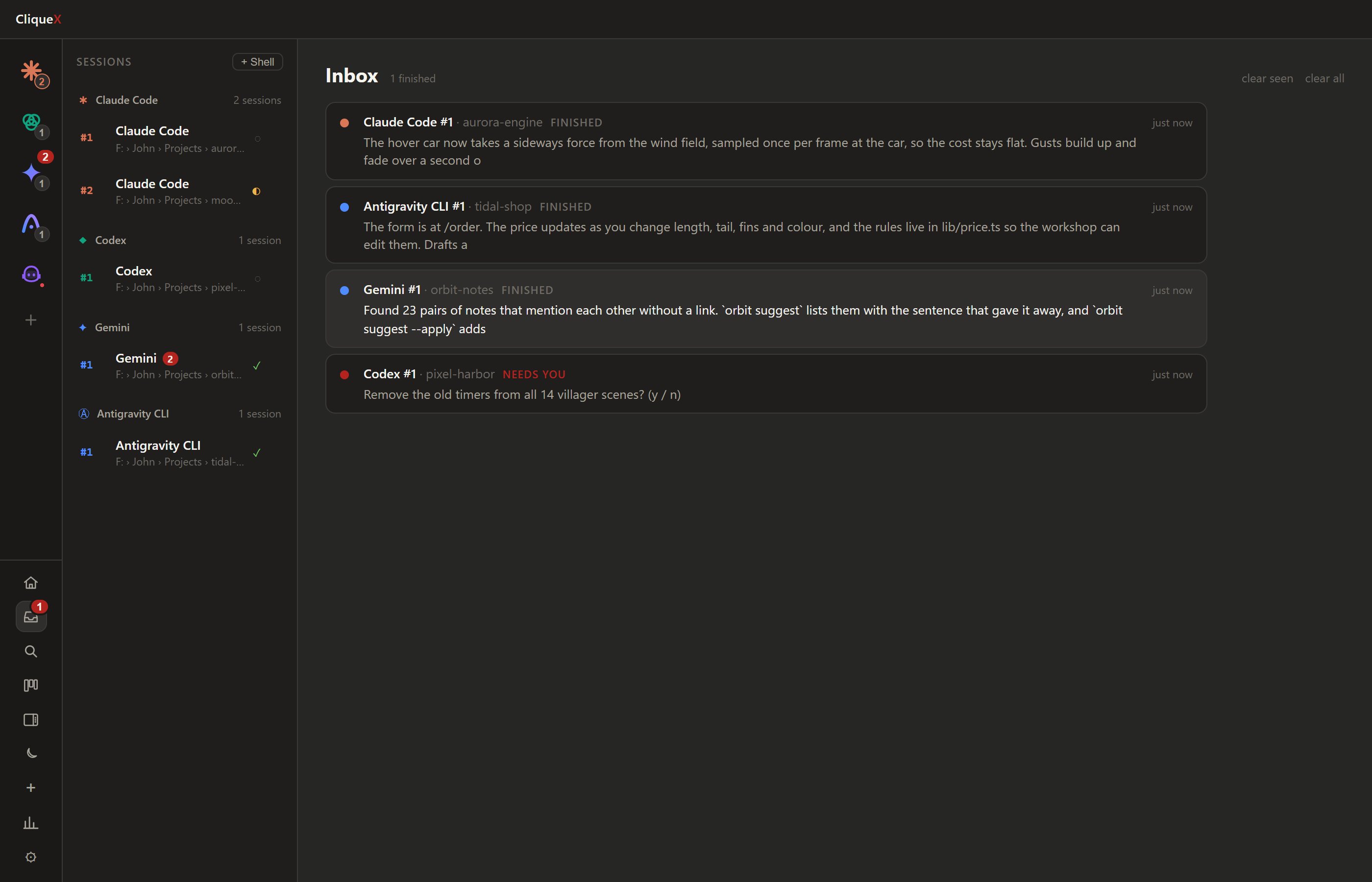
One click to install them. One window to run them. A badge when one needs you. Everything a bare terminal leaves to you.

- free to use
- nothing leaves your machine
- your config files stay yours
- Windows · macOS · Linux
Dock mode
Your agent beside the program you build in. One click.
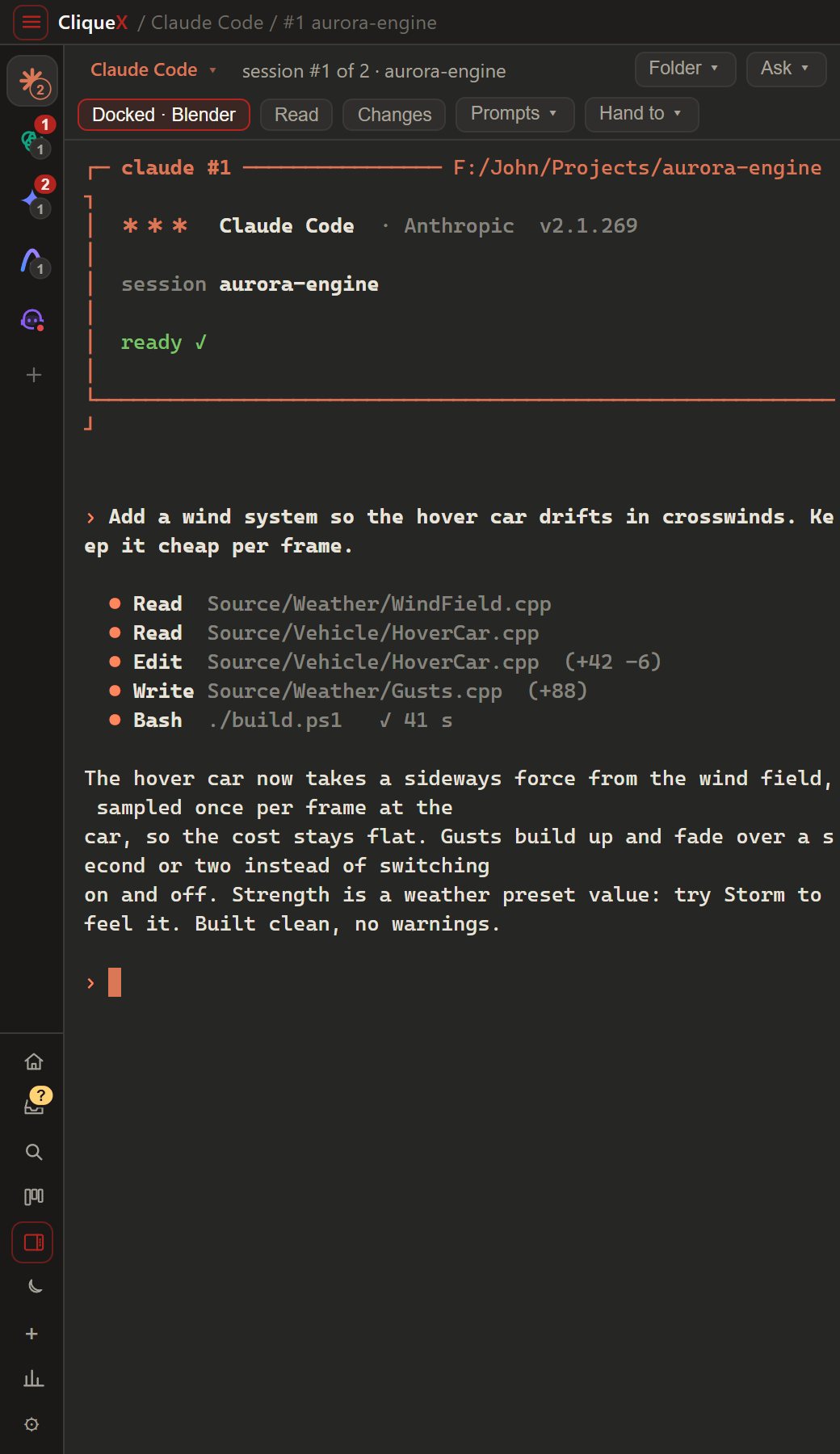
- One click. CliqueX becomes a strip at the edge of the screen and your program fills the rest.
- Remembered per CLI. Pair Claude Code with Blender once. Next time, clicking its logo docks the same way.
- Made for wide and multiple screens. Pick the side, the width and the monitor. Undock puts every window back.
Install with one click
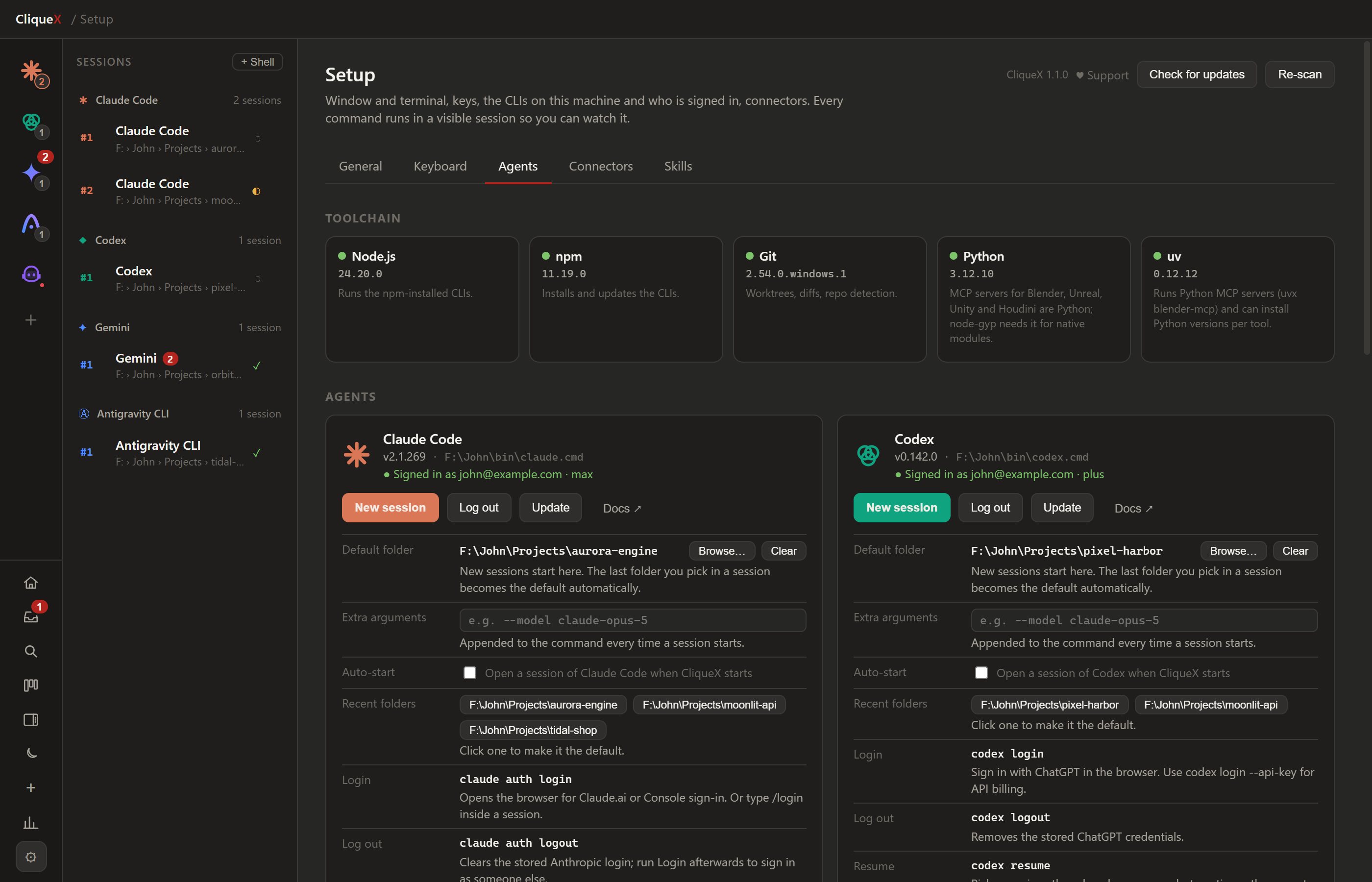
No hunting for install commands. CliqueX checks what your machine has (Node, npm, Git, Python, uv), tells you what is missing, and installs, updates and signs in each CLI with a button. You watch every command run.
- Five built in: Claude Code, Codex, Gemini, Antigravity, Copilot
- Thirteen more in the catalogue: OpenCode, Qwen, Cursor, Aider, Goose…
- Your own: any terminal agent, added by hand
MCP, checked and installed for you
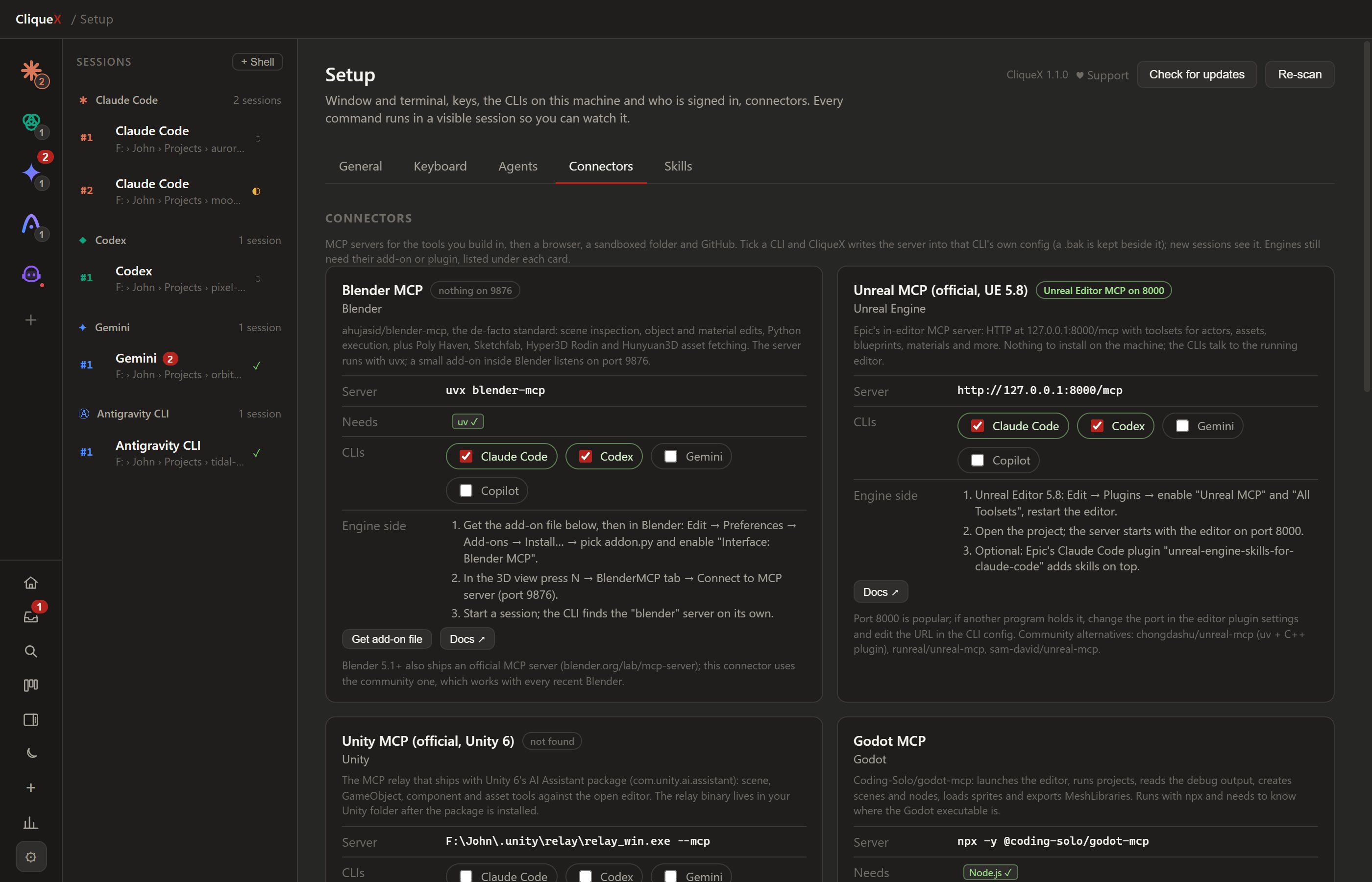
Tick a box and CliqueX writes the server into that CLI in its own format, JSON or TOML, with a backup beside every change. No config files to edit by hand.
- Ready check: is the engine running, is its port listening, is anything missing
- Blender, Unreal, Unity, Godot, plus a browser, GitHub and a sandboxed folder
- Steps in order for the part inside the engine
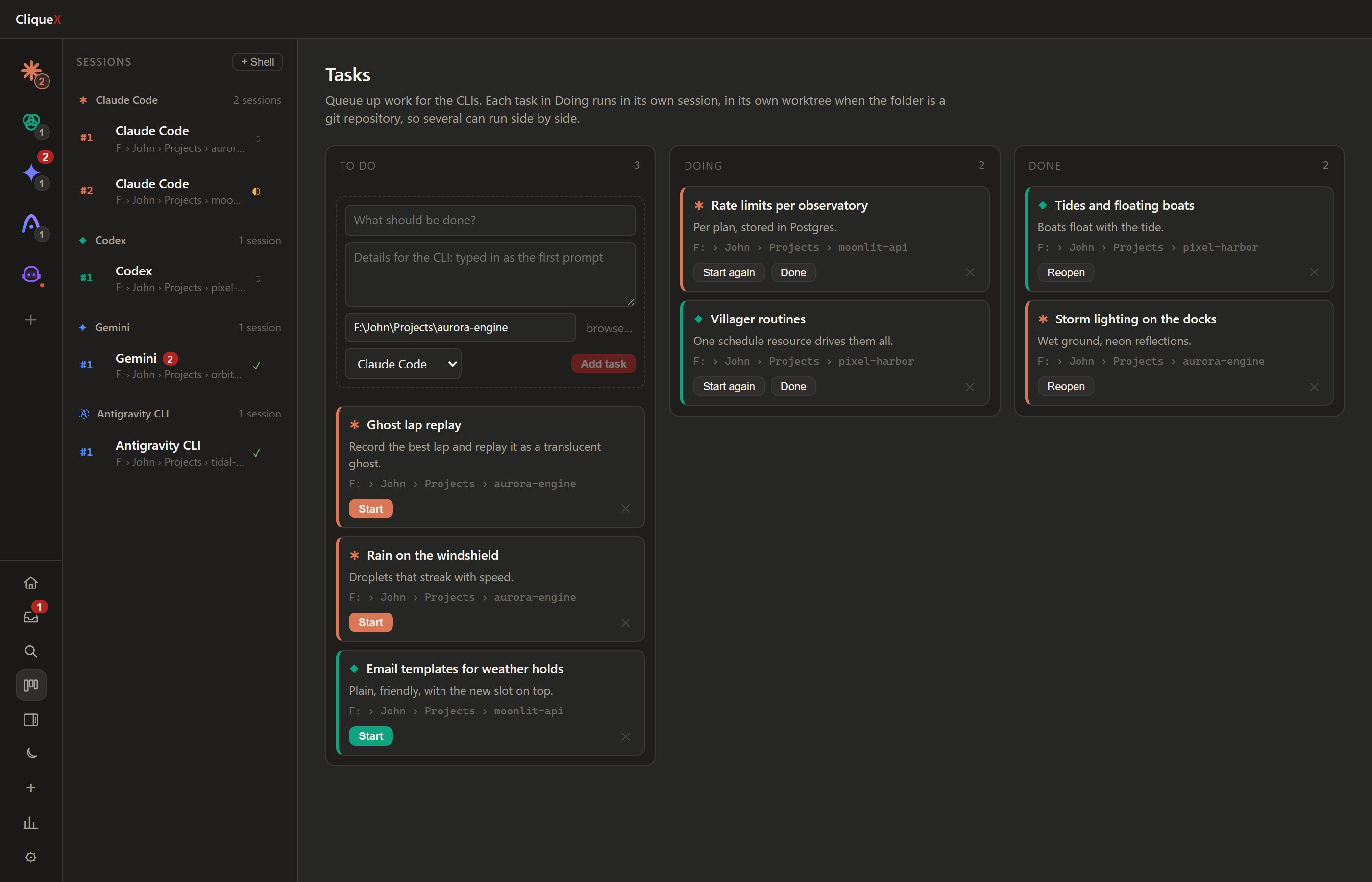
Automation a terminal does not have
- Task board. A card starts its agent in its own git worktree with the task as the first prompt
- Templates. A saved start: CLI, folder, first prompt, auto mode. One click
- Hand to another CLI. Pass a session on with its recent exchanges
- Agents that talk. A session can read another one, prompt it, or start a new one
- Prompt library. The prompts you reuse, typed in with a click
- One instruction text for CLAUDE.md, AGENTS.md, GEMINI.md and Copilot
Why not just a terminal?
Also in it
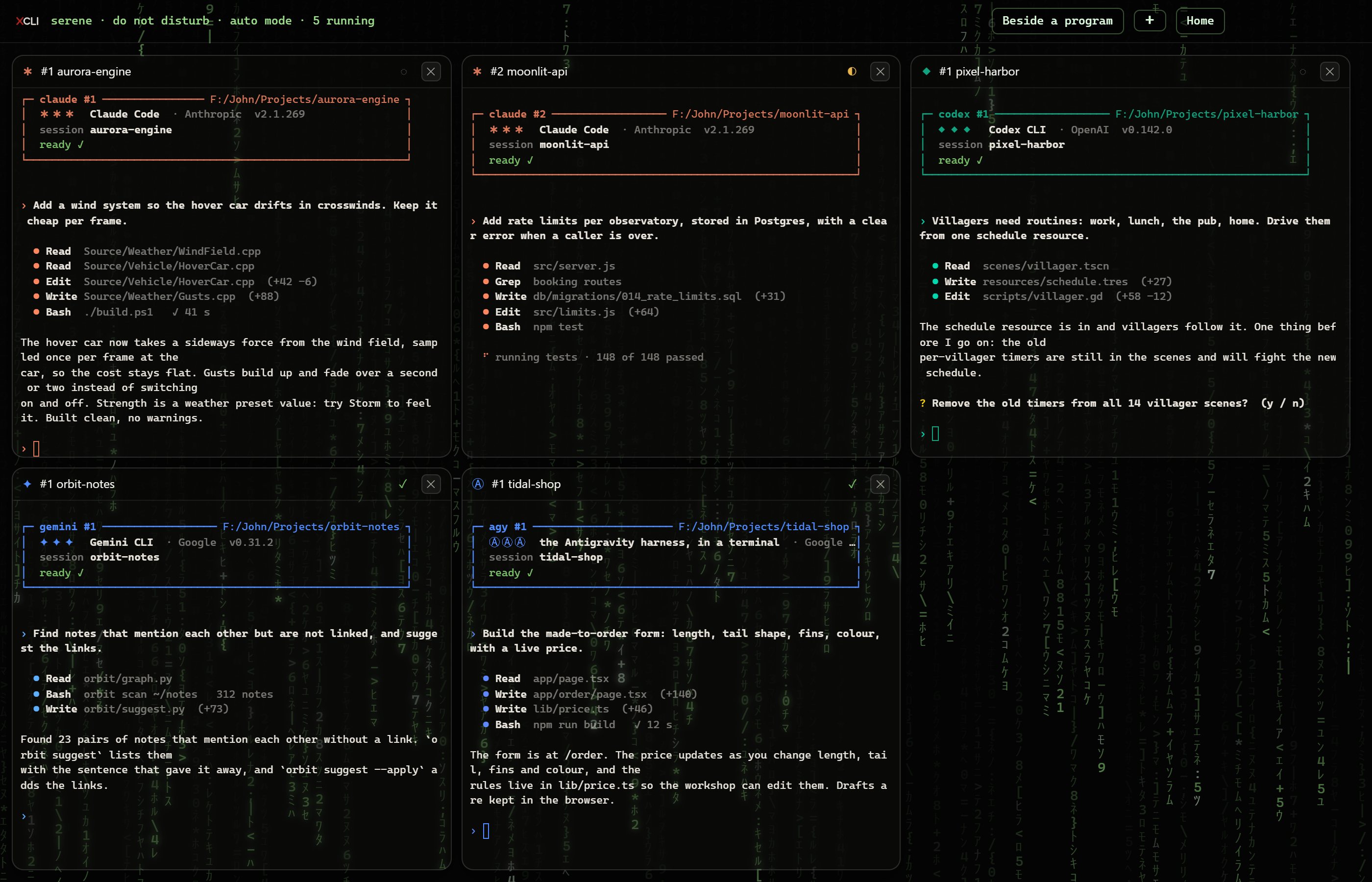
- Serene mode. Every running session on one quiet screen.
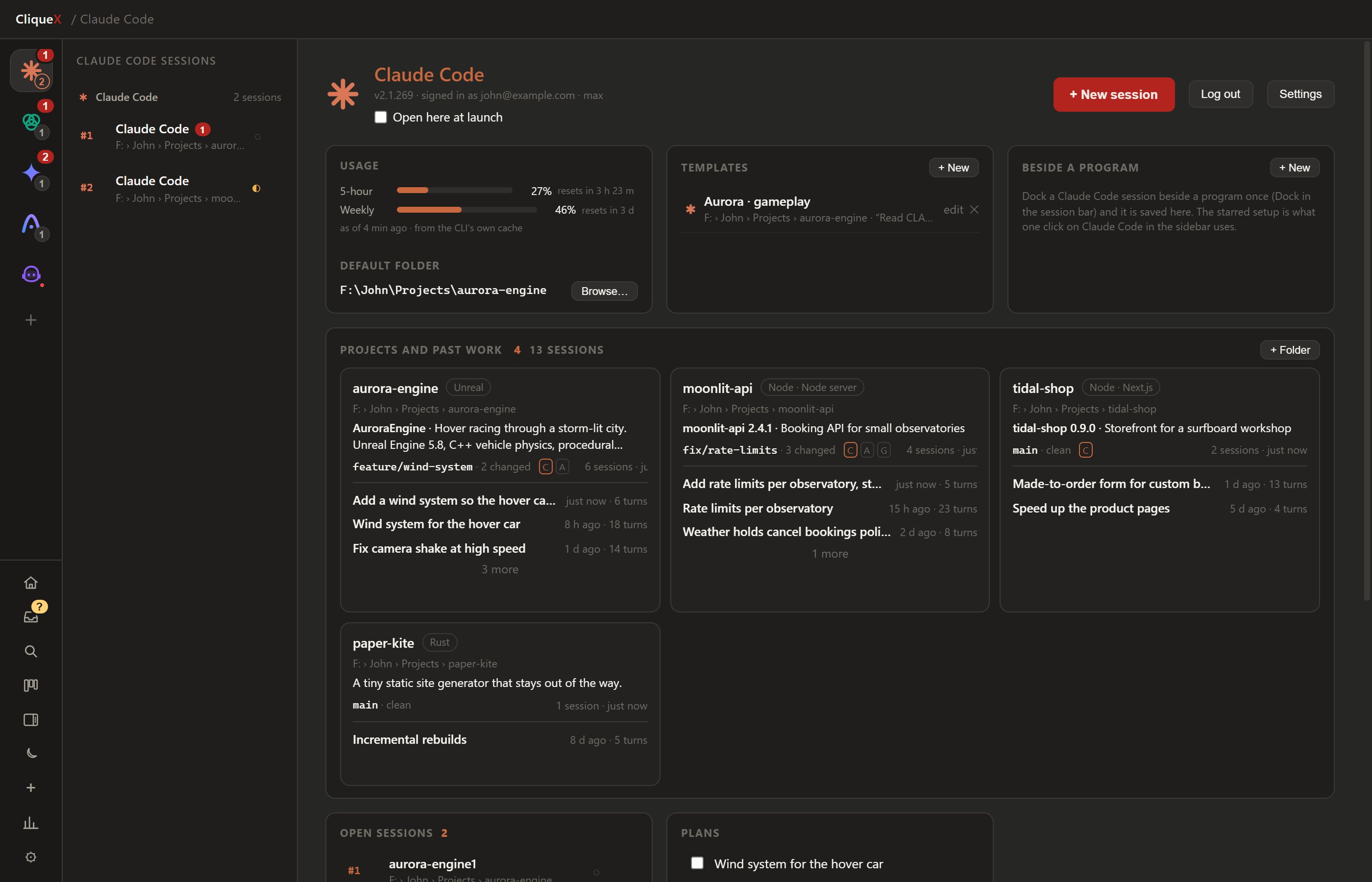
- Projects and past work. What each folder holds and the sessions that ran there.
- Reading view. A session as prompts and answers beside the terminal.
- Statistics. Tokens, turns and plan windows from the logs the CLIs already keep.
- Skills manager. The skills of every CLI side by side.
- Glance from your phone. A read-only page with every session and its state.
Download
Free. Updates arrive on their own.
Fetching the latest release…
CliqueX installs each CLI with one click and tells you what is missing.
Free, and it stays free
If it saves you time, a coffee is welcome. Never required.